top of page

Getting Started
How to Enable Health Access for Welldo?
Allow full Health access for better accuracy

Follow these quick steps to turn on all Health access for Welldo so you get the most accurate insights.
Open the Health App
Open the Health app on your iPhone. This is where all your health data and connected apps are managed.

Tap Your Profile Picture
Tap your profile picture in the top-right corner to access your Health settings and privacy controls.

Select Apps
Scroll down and tap Apps. You'll see a list of apps that have requested access to your Health data.

Choose Welldo
From the list, select Welldo to open its permission settings.
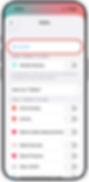
Turn On All Switches
Enable all toggles to give Welldo full access. This ensures every feature works accurately and seamlessly.
bottom of page